 PARDESCO
OMTech Laser Cutter Review 2026: Which Model to Buy (Tested + 5% Discount Code)
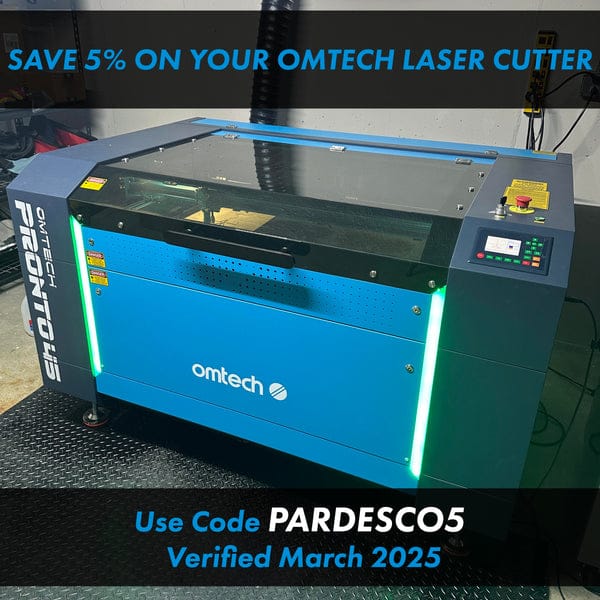
⚡ Quick Answer (July 2026): The best value in OMTech's catalog right now is the Maker AF2028-80 90W at $3,099.99 — a 90W autofocus machine currently discounted $1,300 from list. If throughput is your business, the Pronto 35 100W ($4,199.99) is the one to buy; I run its bigger sibling, the Pronto 45, every day. Starting out? The Polar Lite 55W is $1,999.99. Use code PARDESCO5 for an extra 5% off current sale prices.
Changed since my last update: the Maker 25 and three other Maker models were discontinued, the Polar+ is now pre-owned only, and OMTech added the Polar 2 and the Pronto 75. Prices moved on every single model. Details below.
My OMTech Laser Cutter Testing Experience
After 3+ years of daily use and testing multiple OMTech laser cutters in my workshop, I'm sharing everything you need to know before buying. As the founder of Pardesco, where I create laser-cut geometric art, I've pushed these machines to their limits.
This OMTech laser review covers real performance data, not just specs — and unlike most affiliate roundups, I re-check every price against OMTech's live catalog before I republish. Plus, get an exclusive 5% discount with code "PARDESCO5"!
What Changed in the 2026 Lineup (Read This First)
If you've read an OMTech roundup written before mid-2026 — including an older version of this one — a lot of it is now wrong. Here's what actually moved:
❌ Discontinued
- Maker 25 (50W) — the machine every guide recommends to beginners. It's gone. Buy a Polar Lite or a Maker MF1624-60 instead.
- Maker AF2440-100, AF3555-130, and ZF3551-130 — the Maker series went from 11 models down to 6.
- Polar+ — no longer sold new. It turns up in the pre-owned listings.
🆕 New since the last update
- Polar 2 — a proper desktop successor, in a 70W glass tube version and a 50W RF version.
- Pronto 75 150W — 40" × 63", the largest Pronto.
- Pronto 35 90W — fills the gap between the 60W and 100W.
Every price in this article was verified against OMTech's live catalog on July 27, 2026, during their Independence Day sale. Sale prices move — always confirm on the product page before you buy.
OMTech Pronto Series Review: Speed for Production (My Daily Driver)
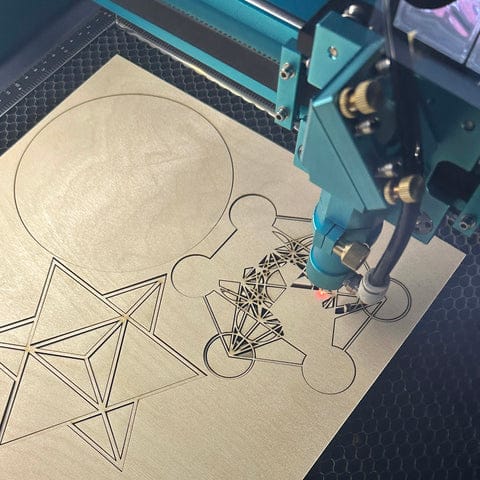
I run my Pronto 45 for 6+ hours daily at Pardesco. After thousands of cuts, here's the honest case for the Pronto series: you are paying for throughput and for autofocus on every model. If your machine time converts directly into money, that's an easy trade. If it doesn't yet, read the Maker section first — the value gap has narrowed a lot this year.
Watch My Pronto 45 in Action
Pronto Series Speed Comparison
The whole Pronto proposition is throughput. Pronto models are rated up to 1,000 mm/s — that rating is what you're paying the premium for, and it's the one specification that separates the two lines.
Engraving Speed Test (Same 12" × 12" Design):
- ⚡ Pronto Series: 14 minutes
- 🚶 Maker Series: 35 minutes
Result: roughly 2.5× faster = 2.5× more products per day. On a real job that is the difference between two runs a day and five.
Worth being straight about the competition here: xTool's P3 advertises up to 1,200 mm/s. The Pronto is not the fastest CO2 machine on the market — it is the fastest one at this price, which is a different and more useful claim.
Current Pronto Series Lineup (July 2026 — All with Autofocus)
| Model | Power | Work Area | Current Price | Best For |
|---|---|---|---|---|
| Pronto 35 60W | 60W | 20" × 28" | $3,699.99 | Pronto Entry Point |
| Pronto 35 90W 🆕 NEW | 90W | 20" × 28" | $3,899.99 | The $300 Sweet Spot |
| Pronto 35 100W ⭐ BEST PRONTO BUY | 100W | 20" × 28" | $4,199.99 | Best Value Production |
| Pronto 40 90W | 90W | 24" × 35" | $4,799.99 | Mid-Size Production |
| Pronto 45 100W (My Daily Driver) | 100W | 24" × 40" | $5,299.99 | High-Volume Production |
| Pronto 60 130W | 130W | 35" × 51" | $7,199.99 | Large Format |
| Pronto 75 150W 🆕 NEW | 150W | 40" × 63" | $8,499.99 | Maximum Size & Power |
Which Pronto? The 35 100W at $4,199.99 is the one I'd buy today — it's the cheapest way into 100W with autofocus. The 35 90W is only $300 less for 10% less power, which makes it hard to justify unless that $300 is the deciding factor. Step up to the 45 only when you genuinely need the 24" × 40" bed; I do, because I cut large architectural panels, but plenty of makers never outgrow the 20" × 28".
My Pronto 45 Production Record
- 📊 Total cuts: thousands of pieces
- ⏱️ Daily runtime: 6-8 hours average
- 🔧 Maintenance downtime: < 2% (mostly cleaning)
- 💰 Payback: estimated within the first year of production work
🔥 Best Pronto Buy: Pronto 35 100W at $4,199.99
View Pronto 35 100W → View Full Pronto Series →Use code PARDESCO5 for 5% off!
OMTech Maker Series Review: The Best Value in the Catalog Right Now
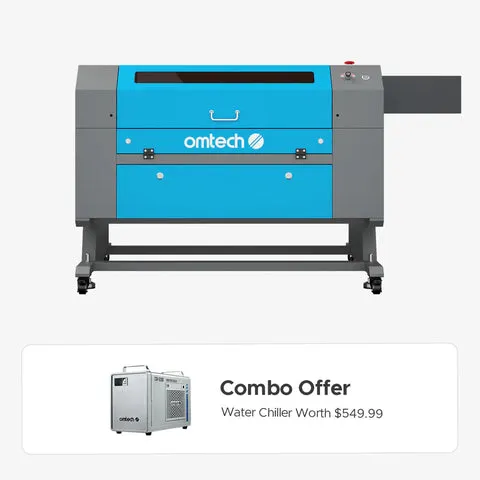
I have to correct myself here. Previous versions of this article steered readers toward the Pronto line on the basis that the Maker series wasn't much cheaper. That is no longer true — OMTech has discounted the Maker line aggressively, and a 90W autofocus Maker AF2028-80 is now $3,099.99 against $4,199.99 for the entry 100W Pronto. That's a $1,100 gap for a machine that does the same work more slowly.
If you are not yet running enough volume that machine hours are your bottleneck, the Maker AF2028-80 is the smartest purchase OMTech currently sells.
Complete Maker Series Lineup (All 6 Current Models)
| Model | Power | Work Area | Autofocus | Current Price | Best For |
|---|---|---|---|---|---|
| MF1624-60 | 60W | 16" × 24" | — | $2,399.99 | Cheapest Full-Size |
| AF2028-60 | 60W | 20" × 28" | ✅ | $2,899.99 | Best Beginner Upgrade |
| MF2028-80 | 90W | 20" × 28" | — | $2,999.99 | Budget 90W |
| AF2028-80 ⭐ BEST VALUE | 90W | 20" × 28" | ✅ | $3,099.99 | Small Business |
| MF2028-100 | 100W | 20" × 28" | — | $3,499.99 | Thick Materials |
| AF4063-150 | 150W | 40" × 63" | ✅ | $6,999.99 | Large Format Value |
Note the $100 rungs. Going from the non-autofocus MF2028-80 to the autofocus AF2028-80 costs $100. Autofocus saves you a manual height-set on every single job — take it. Similarly, AF2028-60 to AF2028-80 is $200 for 50% more power.
Real-World Performance Testing Results
Materials I've Successfully Cut (Single Pass):
- ✅ 1/4" Acrylic - Clean edges at 8-10mm/s (90W models)
- ✅ 3/8" Plywood - Minimal charring at 5-7mm/s (100W models)
- ✅ 1/8" MDF - Perfect cuts at 20-25mm/s (60W sufficient)
- ✅ Leather/Fabric - No burning at 30-40mm/s (all models)
- ✅ Paper/Cardboard - Intricate details at 50mm/s (50W works great)
Who Should Buy the Maker Series?
🎯 Best Overall Value (anyone): Maker AF2028-80 (90W) — $3,099.99 — autofocus, 90W, right-size bed
🎯 Tightest Budget: Maker MF1624-60 (60W) — $2,399.99 — cheapest full-size CO2 OMTech sells
🎯 Best for Thick Materials: Maker MF2028-100 (100W) — $3,499.99
🎯 Best for Production: Step up to the Pronto 35 100W ($4,199.99) — you're buying speed, not capability
OMTech Polar Lite & Polar 2 Review: The Desktop Options
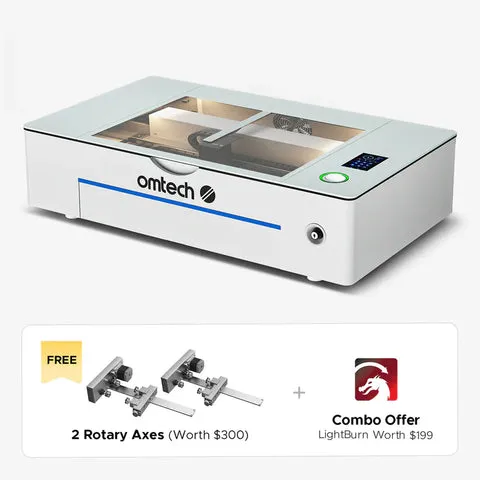
The Polar line proves you don't need a warehouse — or a big budget — to start. The Polar+ that older guides recommend is no longer sold new; it turns up in pre-owned listings only. The current desktop range is the Polar Lite at the bottom and the new Polar 2 above it.
Polar Lite 55W — $1,999.99
The cheapest CO2 machine OMTech makes and the one I'd point a nervous beginner at. Everything you'd otherwise have to buy and plumb separately is built in.
Real-time display and precise material positioning right out of the box
No external chiller needed — saves money, space, and a plumbing job
$1,999.99 is the lowest-cost way into a real CO2 laser
Work from anywhere in your shop
Space & Setup Reality Check
- ✅ Work area: 20" × 12" — great for smaller products and gifts
- ✅ Compact footprint: fits on a standard desk
- ✅ Setup time: beginner-friendly, ready out of the box
- ⚠️ Ventilation: 4" exhaust still required — this is not optional
Polar 2 — $3,699.99 (70W Glass) or $4,999.99 (50W RF)
OMTech's new desktop flagship, and the first time they've offered an RF tube at this size. The choice between versions is a real one:
- 70W glass tube ($3,699.99) — more raw power, so it cuts thicker stock. Glass tubes are consumables with a 2-4 year life.
- 50W RF tube ($4,999.99) — a finer beam spot for sharper detail work, and RF tubes last considerably longer than glass. You're paying $1,300 for precision and longevity, not for cutting capacity.
If you're engraving fine detail for a living — jewelry, small signage, photo work — the RF version earns its premium. If you're cutting parts, the 70W glass is the better machine for less money. Both currently ship with LightBurn included, which is a $199 value (see the buying traps below).
Pre-Owned OMTech Machines: The Route Nobody Writes About
OMTech sells factory pre-owned machines directly, and almost no review mentions them. If your budget is the binding constraint, this is where the value is — a pre-owned Pronto 35 100W runs about $3,359.99 against $4,199.99 new, which puts a production-speed machine inside Maker-series money.
In stock when I checked (July 27, 2026):
- Pronto 35 100W — $3,359.99 (vs $4,199.99 new) — production speed for Maker money
- Pronto 60 130W — $5,774.99 (vs $7,199.99 new)
- Maker MF2028-100 100W — from $2,199.99 (vs $3,499.99 new) — the cheapest 100W anywhere in the catalog
- Maker MF1624-60 60W — $2,299.99
- K45 45W — $530, if you just want something to learn on
The catch: stock is unpredictable and turns over weekly. Treat this as an opportunistic buy — if the model you want is listed, move; don't plan a purchase around it. Warranty terms differ from new machines, so read the specific listing.
Two Buying Traps That Cost Real Money
Trap 1: Choosing "Machine" when the chiller is free
Most OMTech machines are sold in configurations — "Machine", "Machine with Water Chiller", "Machine with LightBurn", and so on. On most models right now, "Machine" and "Machine with Water Chiller" are listed at the identical price.
At the time of writing that's true for the Pronto 35 60W, 35 90W, 40, 45, 60, and 75, and for the Maker MF1624-60, AF2028-60, MF2028-80, and AF2028-80. Picking the plain "Machine" option on any of those throws away a chiller worth several hundred dollars for exactly zero saving.
Two current exceptions where the chiller genuinely costs extra: the Pronto 35 100W (+$500) and the Maker MF2028-100 (+$500). Everywhere else, take the chiller.
Trap 2: Buying the wrong LightBurn licence
LightBurn restructured its pricing in 2026 into two tiers: Core at $99 for GCode machines and Pro at $199 for DSP and Galvo machines. Every OMTech CO2 laser in this review runs a Ruida DSP controller, which means you need the $199 Pro tier. Buy Core and it simply won't drive your machine.
Which makes OMTech's "+$200 with LightBurn" configuration effectively the licence at cost. Unless you already own a Pro licence, take the bundle — it's the rare upsell that isn't one. Licences are perpetual; a further year of updates is $40.
Software That Actually Works: LightBurn Integration
All OMTech models here run LightBurn Pro ($199, or bundled for $200 with the machine), which is genuinely better software than what ships with far more expensive competitors — and it runs offline, on your machine, with no cloud account in the loop.
My Workflow (Illustrator → LightBurn → OMTech):
- Design in Adobe Illustrator or Inkscape
- Import SVG/AI files directly to LightBurn
- Set layers for different cut/engrave settings
- Preview time estimates and path optimization
- Send via USB, Ethernet, or WiFi (model dependent)
FREE: Complete OMTech Setup & Optimization Guide (PDF)
Stop wasting time on trial and error. I've compiled everything I learned into a comprehensive guide that will save you weeks of frustration.
📚 The Ultimate OMTech Starter Pack
- ✓ Day 1-30 setup checklist (avoid my mistakes)
- ✓ Material settings database (60W/90W/100W)
- ✓ Maintenance schedule that actually works
- ✓ Troubleshooting flowchart for common issues
- ✓ Safety protocols I wish I knew earlier
- ✓ Production optimization tricks
15+ pages • Instant download
Maintenance: The Reality Nobody Talks About
Let's be honest about what it takes to keep these machines running perfectly:
Weekly (10 minutes):
- Clean lens with isopropyl alcohol and lens tissue
- Check water level in cooling system
- Wipe down bed and remove debris
Monthly (30 minutes):
- Clean all three mirrors thoroughly
- Check belt tension (should have slight give)
- Lubricate rails with white lithium grease
- Test alignment with paper test
Every 6 Months (2 hours):
- Full alignment check and adjustment
- Replace water in cooling system
- Deep clean exhaust system
- Check tube power output
Bottom line: 15 minutes weekly maintenance = years of reliable operation. And when the tube eventually goes, a replacement is $290-$800 depending on wattage and it's a job you can do yourself — that serviceability is a real advantage over sealed, proprietary machines.
OMTech Discount Codes, Financing & Current Deals (July 2026)
Worth being straight with you about the maths: the sitewide sale is doing far more work than my 5% code. OMTech is currently discounting machines by $1,000-$1,850 off list. The value of PARDESCO5 is that it stacks on top of that already-reduced price rather than replacing it.
🎯 Exclusive Code
PARDESCO5
5% off, stacked on the current sale price
💳 Financing
OMTech offers Clicklease financing with no credit check required — worth knowing if a $3,000-$5,000 machine is a cash-flow problem rather than a budget one.
📧 First Purchase
OMTech gives $50 off your first order for signing up to their email list. Check whether it stacks with PARDESCO5 at checkout — if it does, take both.
💰 Your Savings with PARDESCO5 (on top of sale pricing):
Polar Lite 55W ($1,999.99) → save ~$100
Maker MF1624-60 ($2,399.99) → save ~$120
Maker AF2028-80 ($3,099.99) → save ~$155
Pronto 35 100W ($4,199.99) → save ~$210
Pronto 45 100W ($5,299.99) → save ~$265
Code PARDESCO5 applied automatically via this link
Final Verdict: Which OMTech Laser Should You Buy?
Quick Decision Guide:
Best Value Overall — Most People Should Buy This:
→ Maker AF2028-80 (90W) at $3,099.99
- 90W with autofocus for less than any Pronto
- 20" × 28" bed handles the large majority of real projects
- Currently $1,300 off list — the steepest discount in the catalog
If You're Running a Business and Speed Is Money:
→ Pronto 35 100W at $4,199.99
- Roughly 2.5× the engraving throughput of the Maker series
- Cheapest route to 100W with autofocus
- Same 20" × 28" bed as the value pick — you're buying time, not size
If You Need Maximum Production Speed and Bed Size:
→ Pronto 45 100W at $5,299.99
- 24" × 40" work area handles large-format pieces
- My personal daily driver — thousands of cuts and still going
- Step up to the Pronto 60 or 75 only if you genuinely cut sheet goods
If You're a Beginner, or Space and Budget Are Tight:
→ Polar Lite 55W at $1,999.99
- Desktop size, built-in camera and cooling, nothing external to plumb
- Cheapest CO2 machine OMTech sells
- Note: the Maker 25 that older guides recommend here has been discontinued
If Budget Is the Only Constraint:
→ A pre-owned Pronto 35 100W at around $3,359.99
- Production speed for Maker money, when stock allows
- Availability is unpredictable — check before you plan around it
Common Questions I Get About OMTech Lasers
Is OMTech good for beginners?
Yes. The Polar Lite 55W ($1,999.99) is the easiest starting point — it has built-in cooling and a camera, so there's no external chiller to plumb. If you want a full-size bed instead, the Maker MF1624-60 is $2,399.99. Note that the Maker 25, which used to be the standard beginner recommendation, has been discontinued. Both current options come with video tutorials, and the OMTech Facebook community is very active. I started with zero experience and was cutting within about two hours.
OMTech vs Glowforge: Which is better?
It depends on whether you value convenience or capability. Glowforge is genuinely easier to set up and its lineup now runs from the Aura ($999) up to the Pro ($7,999), but the Pro is a 45W machine tied to Glowforge's cloud software. For $4,199.99, an OMTech Pronto 35 100W gives you more than twice the power, a larger bed, and offline LightBurn control. Glowforge wins on out-of-the-box simplicity; OMTech wins on power per dollar and on not depending on someone else's servers.
OMTech vs Boss Laser: How do they compare?
Boss Laser machines are US-assembled with excellent build quality and better US-based support, but they cost roughly 2-3x more than the equivalent OMTech. A comparable OMTech Maker AF2028-60 60W is $2,899.99. If US-based phone support and service are worth a large premium to you, Boss is a reasonable choice. For most hobbyists and small businesses, OMTech delivers most of the capability for a fraction of the money.
OMTech vs xTool: Which should I choose?
xTool is now a serious CO2 competitor, not just a diode brand — the P2S is a 55W CO2 machine and the P3 is an 80W running up to 1,200 mm/s. Both are genuinely good. The difference is what you're buying into: xTool sells a polished, tightly integrated ecosystem at a premium, while OMTech sells more watts and bed area per dollar on open Ruida controllers that run standard LightBurn. OMTech is also far easier to service yourself — a replacement CO2 tube is $290-$800 and you can fit it in an afternoon. Choose xTool for refinement and ease; choose OMTech for capability per dollar and long-term serviceability.
What's the real cost including accessories?
Budget an extra $500-$1,000 beyond the machine: exhaust fan (~$200), air compressor (~$150), honeycomb bed (~$100), spare lenses (~$50), and starter materials (~$200). Add LightBurn Pro at $199 unless you buy a bundle that includes it. The Polar Lite needs the least extra kit since cooling is built in.
How much does LightBurn cost for an OMTech laser?
LightBurn moved to two tiers in 2026: Core at $99 for GCode machines and Pro at $199 for DSP and Galvo machines. Every OMTech CO2 laser in this review runs a Ruida DSP controller, so you need the $199 Pro tier — not the cheaper Core license. Licenses are perpetual; adding another year of updates costs $40. Because of that, OMTech's "+$200 with LightBurn" bundle variant is effectively the license at cost, which makes it the easiest way to buy.
How long do OMTech lasers last?
CO2 tubes typically last 2-4 years of normal use (roughly 8,000-15,000 hours). For a real datapoint: the tube in my Pronto 45 is past 18 months of 6-8 hour days and still running strong. Replacement tubes run $290-$800 depending on wattage, and swapping one is a DIY job you can do in an afternoon. The machine itself should last well past a decade with proper maintenance — the tube is the consumable, not the machine.
Is ventilation really necessary?
YES! Even "safe" materials like wood produce smoke, and cutting anything with chlorine in it is genuinely dangerous. You need either a window exhaust or a filtration system ($500+). Never run without ventilation — the fumes can be toxic and will fill your space in minutes.
OMTech Pronto vs Maker: Which series should I choose?
The Pronto series is built for speed and every model includes autofocus; the Maker series is the value line. Right now the gap is smaller than it looks, because the Maker line is heavily discounted — a Maker AF2028-80 90W with autofocus is $3,099.99 against $4,199.99 for a Pronto 35 100W. If you're running production and throughput is money, buy the Pronto. If you're building up a side business and want the most machine per dollar, the Maker AF2028-80 is currently the best value in the entire OMTech catalog.
Should I buy a pre-owned OMTech laser?
It's worth a look if budget is the constraint. OMTech sells factory pre-owned machines directly — a pre-owned Pronto 35 100W runs about $3,359.99 against $4,199.99 new. Stock is unpredictable and changes weekly, so treat it as an opportunistic buy rather than something to plan around. Check the current listing for the warranty terms on any specific unit.
My OMTech Journey at Pardesco
3+ Years, Thousands of Pieces, Zero Regrets
When I started Pardesco, I spent months researching laser cutters. I almost bought a $15,000 Epilog until I discovered OMTech offered similar quality at a fraction of the price.
My progression:
- Started with a borrowed 50W Chinese laser (nightmare)
- Upgraded to OMTech Maker 60W (game-changer)
- Now run a Pronto 45 for production (absolute workhorse)
The Pronto 45 paid for itself well inside its first year of production work. I create 100+ pieces weekly, from intricate mandala designs to custom architectural models. The precision still amazes me — I can cut 0.1mm details consistently.
Best decision: Starting with OMTech instead of a cheap no-name laser. The support, community, and reliability make the slightly higher price worth every penny.
Ready to Start Your Laser Cutting Journey?
Pick the Machine, Not the Marketing
Best value: Maker AF2028-80 at $3,099.99. Best for production: Pronto 35 100W at $4,199.99. Starting out: Polar Lite at $1,999.99.
Shop OMTech Lasers with 5% Discount →Discount Code: PARDESCO5
✓ 2-Year Warranty ✓ Clicklease financing available
Questions? Let's Connect!
Still unsure which OMTech laser is right for you? I love helping fellow makers choose the perfect machine. Feel free to:
- 📧 Email me your specific needs through the Pardesco contact page
- 📸 Follow my laser cutting journey on Instagram @pardesco
Remember to use code PARDESCO5 for 5% off your OMTech purchase!
Studio dispatches
New work, new writing — straight to you
Occasional letters from the studio. No spam, unsubscribe anytime.